Bible Widgets
- 4.9
- Rating
- 100.00K
- Installs
- Free
- Price

 Analysis by App-foxy
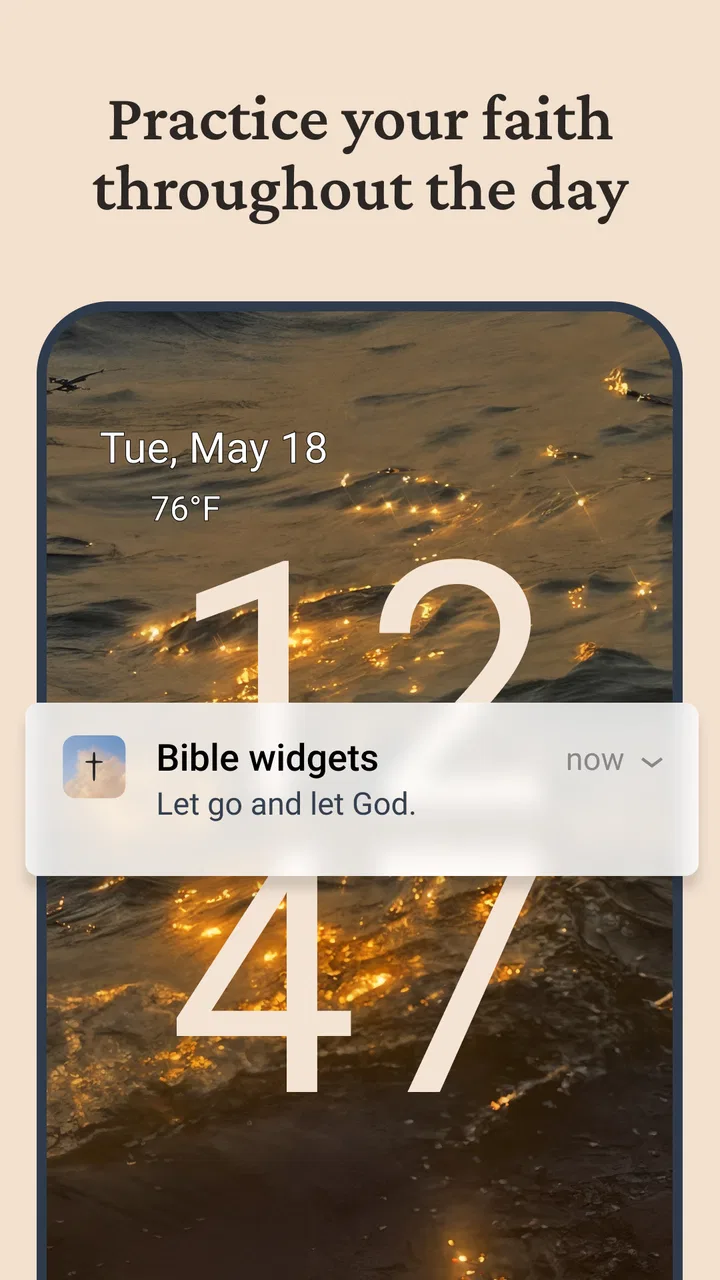
I like the idea behind Bible Widgets because it treats a phone widget as a small daily pause rather than just another shortcut. The app, developed by Monkey Taps LLC, is designed for people who want a visible Bible-focused reminder on their home screen throughout the day. In my experience, that makes it most useful when you want a gentle prompt to reflect, pray, or open Scripture without first searching through an app drawer.
It is a free lifestyle app for Everyone, and its appeal is deliberately narrow: this is not trying to replace a complete Bible reader, study library, church resource, or devotional course. Its job is to put Bible-related content where you already look. That simple purpose is also the key to deciding whether it belongs on your phone. If you want a quick spiritual touchpoint between messages, work tasks, or errands, it makes sense. If you need detailed study tools, several translations, or a structured reading plan, a traditional Bible app will probably serve you better.
How Bible Widgets feels in everyday use
The first thing I notice about a widget-based app is not how impressive it looks in a store listing, but whether it earns a permanent place on the home screen. Bible Widgets has a clear advantage here: the content is visible before I open anything. That changes the behavior from “I should read something later” to “I have already encountered a short reminder while checking my phone.” The distinction is small, but it matters for people who struggle to maintain a daily habit.
You May Also Like

 Blood Strike: 2.5 Anniversary
Blood Strike’s Loadouts Turn Every Drop Into a Tactical Gamble
A close look at Blood Strike’s custom loadouts: how fast access to signature weapons reshapes its battle royale rhythm, rewards preparation, and narrows the gap between fights.

 Pandora - Music & Podcasts
Pandora’s Music Is Easy to Start, but Harder to Recover
Pandora’s strength is its low-effort path from a seed to a station. Its weak spot is how much confidence it asks you to place in connection, setup, and quiet recovery.

 8 Ball Pool
 Is Built on Rivalries, Rematches, and Routine
A close look at the rivalries, rematches, shared routines, and unanswered safety questions that turn a quick pool match into a persistent mobile community.

 Samsung Music
’s Quiet Strength Is Playing What You Already Own
Its reach comes less from spectacle than from dependable access to a personal library. That simplicity is both the app’s strongest retention engine and its ceiling.

 AccuWeather: Weather Radar
AccuWeather Review: A Quick, Clear Forecast for Everyday Decisions
For everyday plans, the best forecast is the one you can understand quickly. AccuWeather makes rain timing, radar, and local conditions easy to act on, with a few trade-offs.

 Hill Climb Racing
Why Hill Climb Racing Still Turns Crashes Into One More Run
A tiny car, a bumpy hill and one more upgrade: Hill Climb Racing keeps resurfacing because its simple chaos makes every near-miss feel personal.
More From Our News Desk
View All News


A realistic use case is a busy morning. I might check the weather, glance at a calendar, and see a Bible widget before leaving home. I do not need to commit to a long reading session at that moment. I can simply read the displayed passage or prompt, sit with it for a few seconds, and continue with my day. Later, if the thought stays with me, I can return to it. This low-pressure workflow is more approachable than opening a full study app when I only have a minute.
The same approach works during a work break or while waiting for an appointment. The widget turns an otherwise empty glance at the screen into an opportunity for reflection. I would not describe that as a replacement for intentional Bible reading, but it can support the habit by keeping the subject present. For someone who already has a regular devotional routine, it works best as a reminder around that routine rather than as the routine itself.
Setup is also important with widgets because a useful app can become frustrating if the home-screen placement feels awkward. I would give the widget enough space to remain readable without letting it dominate the screen. A compact arrangement is convenient, while a larger one may be better for someone who wants the text to be immediately legible. The right choice depends on your phone layout and eyesight, but the practical lesson is the same: do not hide it on a secondary page if the goal is frequent, natural exposure.
The strongest feature is the change in context: Bible content appears during ordinary phone use instead of requiring a deliberate visit to a separate reading environment. That is a meaningful difference from a standard Bible app, where the user usually has to open the app, choose a book or plan, and make time for reading. Bible Widgets asks for less effort, which is precisely why it may be easier to keep using.
A useful companion, not a full study replacement
Compared with a conventional Bible reader, this app feels more like a surface layer for your phone. A full reader is usually better when I want to search for a verse, compare passages, follow a reading plan, listen to audio, or study a longer section. Bible Widgets is better when I want a visible reminder that does not demand a decision every time I unlock the device.
That trade-off should shape expectations. A short piece of content can encourage reflection, but it may not provide enough context for serious interpretation. If a verse raises a question, I would still open a trusted Bible app or physical Bible and read the surrounding passage. Taking a single displayed line on its own can flatten its meaning, especially when the goal is study rather than encouragement.
This also explains who should skip it. I would not choose Bible Widgets as my main tool if I need extensive navigation, note-taking, cross-references, or a carefully sequenced reading program. I would also skip it if home-screen widgets feel distracting or if I prefer to keep spiritual practice separate from the constant stream of phone notifications and other digital interruptions. In those cases, a dedicated Bible app or printed Bible may create a more focused experience.
What the current release tells me
The current version is 4.93.0, which suggests an established product rather than a first experiment. The app was released on May 26, 2025, so the version number should not be read as proof of a long historical timeline by itself. What I can reasonably take from the present release is that the developer has continued maintaining the product after launch, while the actual value still depends on whether the widget fits your personal routine.
I am careful not to treat a version number as a promise of a particular feature. A newer release can improve stability, presentation, or compatibility without changing the central experience. For a widget app, that kind of maintenance matters because the feature depends on the operating system and the home-screen environment. The practical advice is to keep the app updated when a new version is available, especially if the widget stops refreshing or behaves differently after a phone update.
Compatibility is reasonably broad for Android users because the minimum operating system is Android 8.0. That covers many older devices, although actual performance can still vary with a phone’s manufacturer software and battery-saving settings. If a widget appears stale, I would first check whether the phone is restricting background activity or refresh behavior before assuming the app itself is broken. Those system-level restrictions are a common source of trouble for widgets generally.
The app’s reception is notably strong, with a 4.9 average from around 12 thousand ratings and 396 written reviews. It has also passed 100 thousand installs. I see those figures as evidence that the simple widget concept connects with a substantial group of users, not as a guarantee that every person will enjoy it. People who value a visible faith reminder are naturally more likely to appreciate it than people looking for a broad, feature-heavy Bible platform.
How it affects people already using it
For an existing user, the main benefit is continuity. Once the widget becomes part of the home screen, it can support a habit without requiring a fresh decision each day. That is especially helpful for users who begin with good intentions but lose momentum when a routine requires several taps. The widget reduces that friction by placing the starting point in front of you.
I would use it alongside a deliberate schedule rather than relying on random glances alone. For example, I might read the widget in the morning, save a longer study for the evening, and use the daytime appearance as a reminder to return to the passage later. This creates a useful division of labor: the widget handles awareness, while a full Bible or study app handles depth.
Another practical tip is to place it near the apps you already open repeatedly. A widget hidden behind several screens is technically installed but functionally forgotten. Placing it near a calendar, task list, or weather panel can make it part of an existing checking habit. I would avoid placing it beside too many visually loud widgets, because the Bible content can disappear into a crowded layout and lose the quiet quality that makes it useful.
There is also a personal boundary worth considering. A phone is portable, but it is not always peaceful. If you associate the home screen with work alerts, social media, and urgent messages, a spiritual prompt may be interrupted before you can process it. In that situation, I would use the widget as an invitation rather than expecting it to create concentration on its own. When I need silence, I would move to a longer reading session away from the home screen.
The free entry point makes experimentation easy. You can try the core concept without paying first, then decide whether it genuinely improves your routine. In-app purchases range from $14.99 to $149.99 per item, so I would look carefully at the purchase screen and think about whether any optional upgrade matches a real need. A widget that is already doing its main job may not justify an expensive commitment for every user.
Where the experience still has limits
The biggest limitation is the narrowness that gives the app its charm. A widget is excellent at presenting a small prompt, but it is not naturally suited to long passages, detailed commentary, or organized research. If you want to understand a chapter, compare translations, or trace a theme across Scripture, you will quickly outgrow the widget view and need another tool.
There is a risk of turning meaningful reading into background decoration. Seeing a verse repeatedly can be encouraging, but repeated exposure is not the same as understanding or applying it. I would avoid judging the app by how many times I glance at the widget. A better measure is whether it leads me to pause, think, pray, or read further when appropriate.
Widgets can also be easy to dismiss. During a busy day, I may see the text without absorbing it, just as I can glance past a calendar reminder. That is not necessarily a flaw in the app, but it means the result depends on attention. Users who want strong reminders, progress tracking, or accountability may prefer a structured devotional product with more explicit routine-building tools.
Another consideration is privacy of presentation. A home-screen widget is visible to anyone who looks at the phone. For many people that is perfectly comfortable, and it may even be a positive public expression of faith. Others may prefer a private reading experience. If your phone is shared or often viewed by colleagues, think about whether visible Bible content suits your circumstances before giving the widget a prominent position.
The purchase range deserves a measured response as well. Free access lowers the barrier to trying the app, but the upper end of the listed in-app purchase range is substantial for a simple lifestyle utility. I would not buy an upgrade merely because the app is well rated. First use the free experience long enough to decide whether the widget has become part of your day, then assess any paid option on its specific value rather than on enthusiasm alone.
What I would watch as the app evolves
With version 4.93.0 in place, I would watch for improvements that preserve simplicity while making the widget more dependable and personally useful. Better control over how content appears, clearer handling of refresh behavior, and smooth operation across different Android home screens would matter more to me than adding a large collection of unrelated tools.
I would also pay attention to whether future development keeps the widget from becoming visually noisy. The best part of this concept is its restraint. If too many prompts, controls, or promotional elements compete for attention, it could start feeling like another busy phone surface. The app should remain quick to understand at a glance.
For current users, the sensible approach is to judge updates by daily impact. Does the widget remain readable? Does it refresh reliably? Does it still encourage reflection without becoming an interruption? Those questions are more useful than assuming every version change will transform the product. The present release supports the core idea, but the long-term value will come from consistency and thoughtful refinement.
It is also worth watching how the app fits alongside, rather than against, established Bible tools. I would welcome development that makes it easier to move from a short widget prompt into deeper reading, while still keeping the home-screen experience lightweight. That bridge would help users who begin with a glance and later want context, without forcing the widget itself to become a full study suite.
My recommendation after using it
I recommend Bible Widgets to anyone who wants a gentle, visible Bible reminder and already spends enough time on the phone for a home-screen feature to become part of the day. Its value is not complexity. It is the way it lowers the effort required to encounter Scripture during ordinary moments, whether that is before breakfast, between tasks, or while waiting for an appointment.
I would not recommend using it as your only Bible resource. Pair it with a complete Bible app, a printed Bible, or another trusted study method when you need context and depth. That combination makes more sense than asking a small widget to do everything. The app is strongest as a doorway, not a whole library.
Its free price makes trying that doorway straightforward, while the Everyone rating keeps it accessible for a broad audience. Monkey Taps LLC has a focused product here, and the strong response from users reflects how well a small, well-placed reminder can fit a real routine. Just keep expectations realistic around study features, home-screen distractions, and optional purchases.
My final view is positive but specific: choose it if you want your phone to offer a brief spiritual pause without opening a full reading session. Skip it if you need advanced Bible study, dislike visible widgets, or prefer a completely offline, device-free practice. For the right user, Bible Widgets turns an ordinary unlock into a small opportunity to reflect, and that modest purpose is exactly what makes it worth trying.
FAQs for Bible Widgets
01What is Bible Widgets and how does it work?
Bible Widgets is an application that allows users to place customizable Bible verse widgets on their home screens. The app provides a variety of themes and styles to choose from, so users can personalize their experience. It updates regularly with new verses, offering daily inspiration right at your fingertips.
02Is Bible Widgets free to use or are there in-app purchases?
Bible Widgets is free to download and use, providing access to a wide selection of Bible verses without any cost. However, the app may offer in-app purchases for premium themes, styles, or additional customization options. These purchases are entirely optional and enhance the user experience.
03On which platforms is Bible Widgets available?
Bible Widgets is available for both Android and iOS platforms. Users can download the app from the Google Play Store or the Apple App Store. The app is optimized for a smooth experience on both smartphones and tablets, ensuring compatibility with a wide range of devices.
04Does Bible Widgets require an internet connection to function?
Bible Widgets does not require a constant internet connection for its basic functionality, such as displaying saved verses. However, an internet connection is needed to download new verses, themes, and updates. This allows the app to refresh its content and provide the latest features.
05Can I share Bible verses from Bible Widgets with others?
Yes, Bible Widgets enables users to easily share their favorite Bible verses with friends and family. The app includes social sharing features that allow you to post verses to social media platforms or send them via messaging apps. This makes spreading inspiration and encouragement simple and convenient.
Pros
- Customizable widgets for daily inspiration.
- Offline access to scripture passages.
- User-friendly interface with intuitive navigation.
- Multiple translations available for study.
- Scripture sharing feature with friends.
Cons
- Limited customization options for widget design.
- Ads may appear in free version.
- Occasional syncing issues with updates.
- No audio versions of scriptures included.
- Limited note-taking functionality.

Bible Widgets
Gallery